

Shared File History and Clear Records for Every Project Team
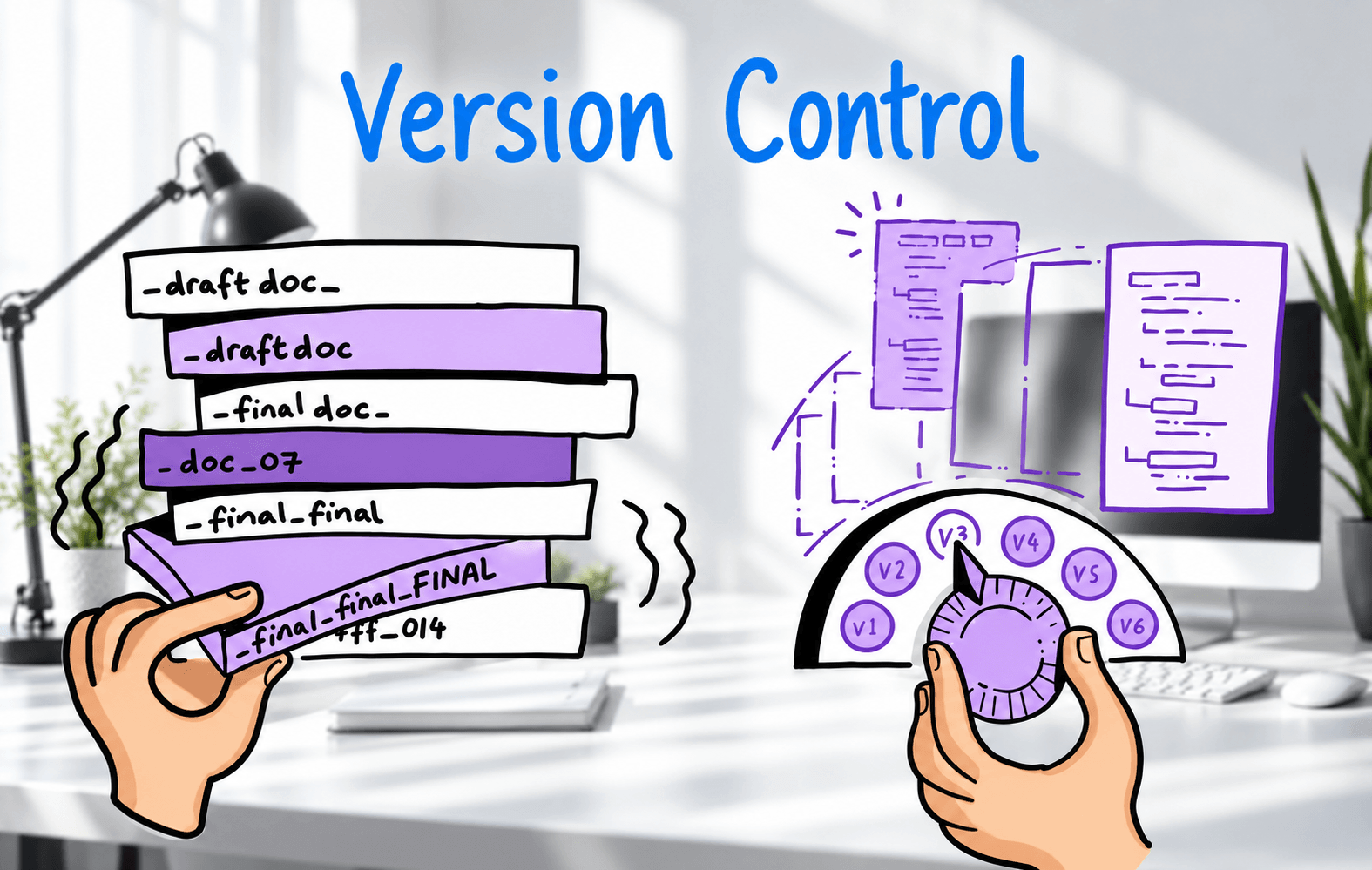
A digital project can become confusing when several people change the same files. Version control gives the team a record of those changes, including who made them and when. Instead of guessing which file contains the latest work, contributors can follow a shared history. As a result, they gain a clearer way to review progress and handle mistakes.
Think about a company updating its website before a product launch. One person changes the contact form, while another adjusts the navigation. Meanwhile, a third person checks the page text and images. Without clear records, someone may replace useful work with an older file and cause delays.
A tracked history helps the team understand how the project reached its current state. However, the tool does not decide whether an edit meets the business goal. People still need clear tasks, useful review notes, and careful checks. Together, these habits give each change a purpose that others can understand.

For business owners, this means fewer questions about which update needs approval. It also helps a new contributor understand earlier decisions without relying only on memory. For example, a web developer can review the reason behind an unusual form rule. That context makes future edits easier to assess before anyone touches the live site.
Client Scope, Review Standards, Approval Notes and Ownership
When you compare digital services, ask how the team records and reviews project changes. The answer should explain who checks an update and who approves its release. Also, ask how you will see progress without needing to read code. A clear process should connect technical work with the result your business expects.
Consider a request to improve a booking page. The task should explain the issue, the proposed change, and the conditions for approval. For instance, customers might need fewer fields before they can submit a request. Then the team can review whether the edit solves that specific problem.
Changes to web design need similar care because visual choices can affect how people use a page. A larger button may help visitors, but it could cover nearby text on a small screen. Therefore, reviewers should check the page at different screen sizes. Comparing the updated files with earlier work helps them see exactly what changed.
The same care supports user experience when teams improve forms, menus, or account pages. Before approval, someone should try the task from a visitor’s point of view. Next, they should record any confusing steps and confirm that the team has addressed them. This turns a vague request for improvement into a result people can check.
For website development, the review process should also explain what happens after approval. Saving an edit, combining it with shared work, and publishing it are different actions. Consequently, a finished task does not always mean that visitors can already see the change. Agreeing on these terms helps clients ask clearer questions about launch dates.
Version Control Basics, Branches, Commits and Safer Releases
In web development, version control tracks changes to files over time. Git is one common tool for this work, and a repository holds the project files and their recorded history. A repository can exist on a developer’s computer, with another copy on a shared hosting platform. However, Git and the platform hosting that repository are different things.
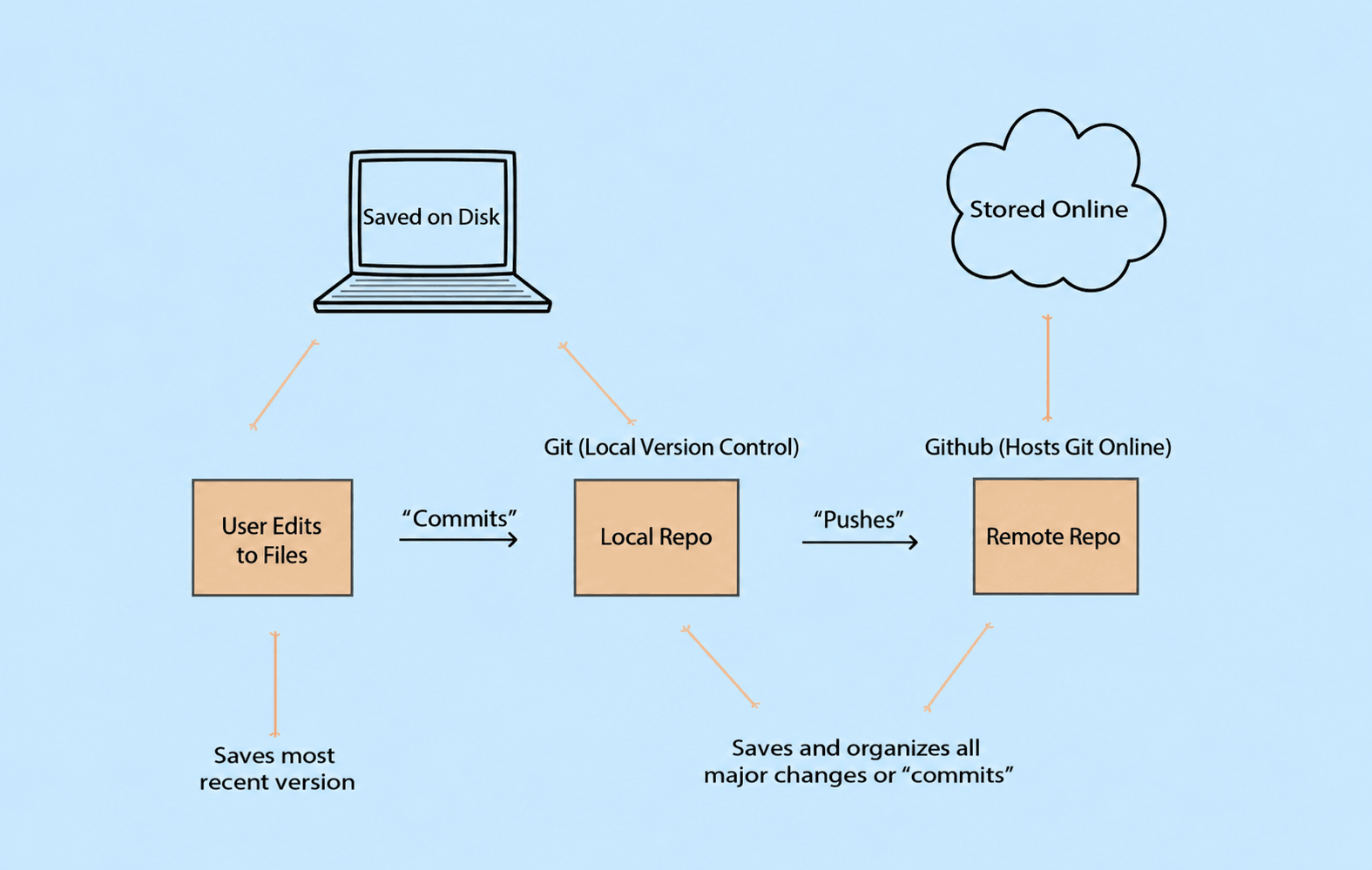
A commit records a chosen set of changes as a point in that history. The person making the commit adds a message explaining the work. For example, a useful message might describe a fix for missing contact form details. Later, another contributor can review that record and compare the affected files.
A branch lets someone work on a separate line of changes within the project. Imagine one developer repairing a menu while another prepares a new landing page. Each can use a branch to keep unfinished edits apart from the shared work. Then the team can review each update before combining it.
A merge combines changes from different branches. Often, Git can combine edits without asking a person to choose between them. However, conflicting edits to the same part of a file may require a decision. Someone must resolve that conflict, check the result, and confirm that both intended changes still make sense.
This is why version control helps teamwork without replacing communication. Before starting a task, contributors should check the latest shared work and discuss overlapping changes. Likewise, small commits with clear messages help reviewers follow the work. A huge update that mixes unrelated fixes can make mistakes harder to spot.
Take responsive design as a practical example. One contributor adjusts the menu for phones, while another changes the header for desktop screens. Their edits may affect the same files even though they have different goals. Therefore, the team should check both views after combining the changes, rather than testing each branch alone.
If an update causes a fault, the history gives the team evidence to investigate. They can compare earlier code with the new version and identify likely causes. In some cases, they can revert a recorded change to undo its effect. However, restoring code does not automatically restore customer records or reverse every external action.
That limit matters because a repository is not a complete backup of a running business. Live databases, uploaded files, and account settings may need separate backup plans. Similarly, passwords and private access details should stay out of tracked project files. The team should agree on access permissions and protect sensitive information throughout the work.
For SEO, tracked edits can help explain changes to page titles, redirects, or indexing instructions. For example, a reviewer can compare an earlier setting with the current one during an investigation. Still, file history alone cannot prove why search traffic rose or fell. Teams need performance data and other evidence before drawing that conclusion.
Version control also helps teams mark a release so they can identify its recorded state later. For example, a label can distinguish launch code from later maintenance work. However, version control does not publish that release by itself, so the team still needs a separate deployment process.
Your Next Digital Investment With Confidence During Handover
A useful project history should remain valuable after the first launch. When another contributor joins, clear messages help explain earlier choices and open issues. Also, recorded releases give the team named points to refer to during support. These habits reduce the need to rebuild context from scattered conversations.
Your online presence benefits when updates follow a process that people can explain and repeat. Before the next project, ask who owns the repository and how your team will access it. Then confirm what the handover includes, from project files to release notes. Clear ownership helps your business prepare for future maintenance.
Version control works best when people pair it with thoughtful reviews and realistic release checks. It gives teams a shared record, but good decisions still depend on clear goals. Therefore, choose a working approach that keeps both technical contributors and business owners informed. Everyone should know what needs approval and what happens next.
If your next website needs a clearer plan for shared work, contact us to discuss the project with Webdev200. Bring your goals, current challenges, and questions about reviews or handover. Together, we can discuss what your project needs before work begins. That conversation helps turn an unfamiliar technical term into a practical business decision.